How to Switch Association Management Software Without Losing Your Member Data
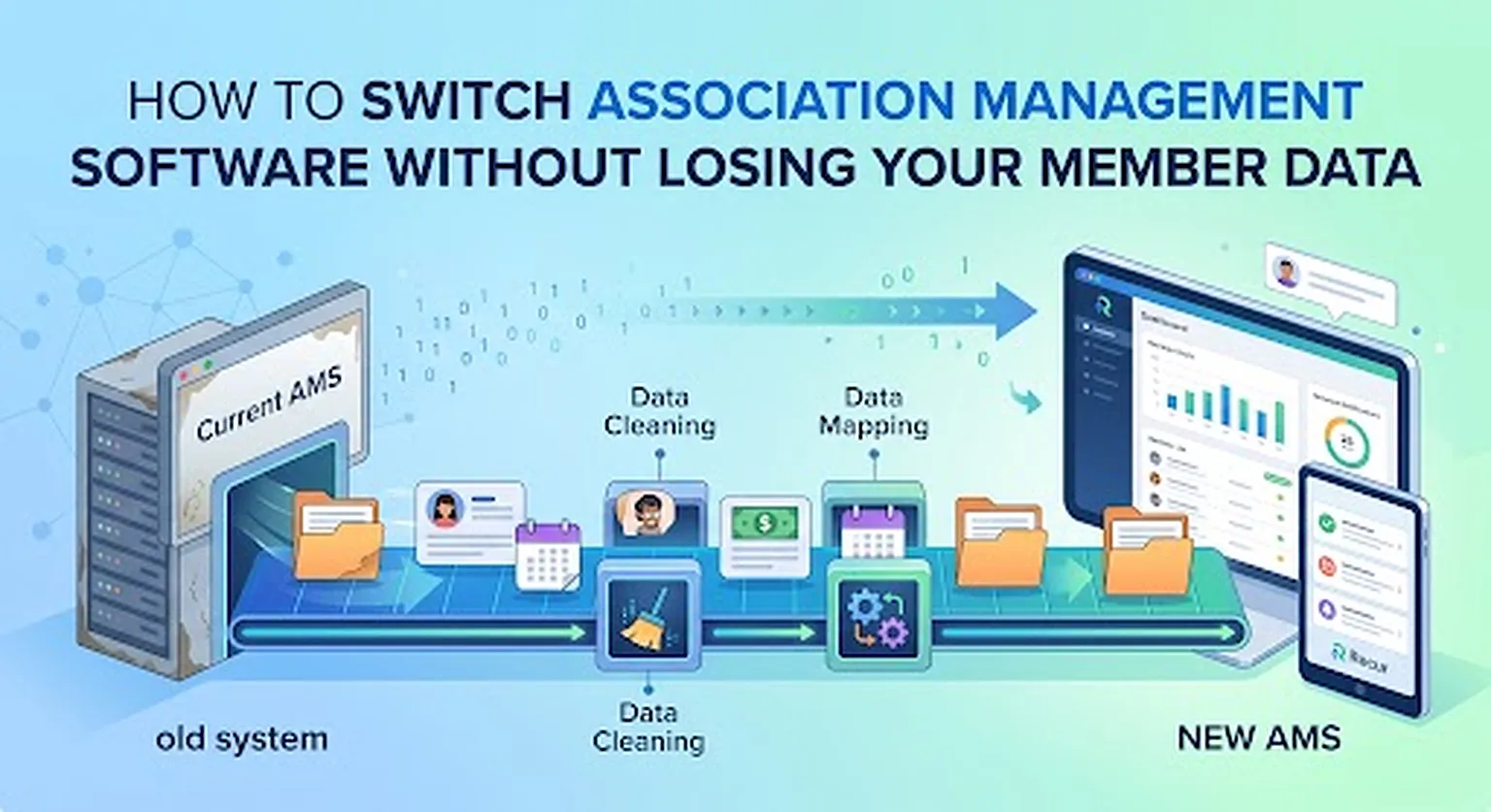
Switching association management software can feel risky. Your membership records, payment history, renewal dates, contact information, and other important data are all tied to your current system.
But moving to a new platform doesn't have to mean starting over.
With a structured migration process, associations can move their existing member data into a new system while keeping the information they rely on. Recur helps associations make this transition by personally assisting with the migration of existing member data at no extra cost.
Here's how to approach an association management software migration without losing important information.
1. Know What Data You Need to Move
Before switching platforms, create a list of the information your association currently uses.
This may include:
- Member names and contact information
- Membership types
- Membership start and expiration dates
- Membership status
- Payment information and history
- Organizations and groups
- Committee or chapter information
- Event registrations
- Communication history
- Custom fields
- Member notes
- Addresses and other contact information
Not every system stores information in the same way, so it's important to determine what needs to be transferred before the migration begins.
2. Clean Up Your Existing Member Database
A software migration is also a good opportunity to clean up your database.
Look for:
- Duplicate contacts
- Former members who should be archived
- Incorrect email addresses
- Outdated contact information
- Inconsistent membership types
- Missing expiration dates
- Unused custom fields
The goal isn't simply to move all your data. It's to move the right data in a usable format.
Moving unnecessary or incorrect information into a new system can create problems later.
3. Export Your Data From Your Current Platform
Most association management systems allow administrators to export member information.
Before switching, make sure you have access to your organization's data and understand what your current platform allows you to export.
Ideally, keep an original copy of your exported files before making any changes. This gives you a backup of your existing database and provides a reference point if you need to verify information after the migration.
4. Map Your Data to the New System
This is one of the most important parts of the migration.
Your current software might call something "Membership Level," while your new platform calls it "Membership Type." One system might store a renewal date in one field while another handles it differently.
Before importing anything, determine where each piece of information belongs. For example:
| Existing Data | New System |
|---|---|
| First Name | First Name |
| Last Name | Last Name |
| Membership Level | Membership Type |
| Expiration Date | Membership Expiration |
| Member Status | Membership Status |
| Phone | Phone |
| Organization | Organization |
| Committee | Group/Committee |
This process is commonly called data mapping, and it helps prevent information from ending up in the wrong place.
5. Test the Migration Before Going Live
Don't immediately shut down your old system after importing your data.
First, check the new system. Look at a sample of member records and verify:
- Names are correct
- Email addresses transferred correctly
- Membership statuses are accurate
- Renewal dates are correct
- Membership types transferred properly
- Groups and committees are assigned correctly
- Payment and financial information is where it should be
- Important custom fields are still available
Testing gives your team a chance to find problems before members interact with the new system.
6. Set Up Your Memberships and Automations
Moving your contacts is only part of changing association management software. You also need to recreate the processes your association depends on.
That can include:
- Membership applications
- Renewal reminders
- Automated emails
- Recurring payments
- Event registration
- Member communications
- Membership expiration rules
- Online member profiles
- Reports
Recur combines membership management, payments, events, communications, reporting, and other association tools in one platform. This allows an association to move its member database while also rebuilding the workflows that run its day-to-day operations.
7. Keep Your Old System Available During the Transition
Don't cancel your old software immediately. Keep your existing system available until you've confirmed that the new platform is working properly and your important data has been transferred.
A good transition might look like:
Export → Clean → Map → Import → Test → Train → Launch
Once everything has been verified, you can officially move your organization over to the new system.
How Recur Helps With the Migration
One of the biggest concerns associations have when changing software is the migration itself.
Recur's team helps organizations migrate their existing member data into Recur at no additional cost. Recur's onboarding process is designed around helping associations configure their membership structure, renewals, payments, and communications.
Recur can manage information such as contacts, organizations, groups, membership information, communications, events, financial information, and other member-related records within the platform.
That means switching doesn't have to mean rebuilding your association's database from scratch.
What Should You Ask an AMS Vendor Before Switching?
Before signing up for new association management software, ask:
- Will you help migrate our existing member data?
- Is migration included in the cost?
- What types of data can be transferred?
- Who handles the data mapping and import?
- Can we review the data before going live?
- How long will the migration take?
- What happens if some of our data doesn't transfer correctly?
- Can our existing membership structure be recreated?
- What happens to our old data after we switch?
- Will someone help train our administrators?
These questions can reveal a lot about how much work your association will actually have to do during a software transition.
Switching Software Doesn't Mean Starting Over
The fear of losing member data shouldn't prevent an association from considering a new platform.
A successful migration is about more than exporting a spreadsheet and uploading it somewhere else. It requires planning, data mapping, testing, and making sure your new system reflects the way your association actually operates.
Recur is built to make that transition easier, with hands-on migration assistance and a platform that brings memberships, payments, events, communications, websites, and reporting together.
If your current association management software is creating more work than it saves, switching doesn't have to mean starting from scratch. It can mean taking the data you already have and putting it into a system that's easier to manage.
Frequently Asked Questions
Will I lose my member data when switching association management software?
Not if the migration is planned properly. With a structured process that includes exporting, cleaning, mapping, importing, and testing your data, associations can switch platforms without losing important member information.
Does Recur help migrate data from another AMS?
Yes. Recur's team personally helps associations migrate their existing member data into Recur at no additional cost, including contacts, memberships, organizations, groups, events, and financial information.
How long does an association management software migration take?
Migration timelines vary based on the size and complexity of an association's data, but a well-planned migration typically includes exporting, cleaning, mapping, importing, and testing before going live.
What should I back up before switching AMS platforms?
Keep an original export of your member records, payment history, event registrations, and any custom fields before making changes, so you have a reference point if you need to verify information later.